
The Gaps You Can’t See on the Screen
Sep 07, 2026On Friday morning, I sat back and watched our Level 3 Master Craftsman participants present the concept boards they had spent the week creating. No two boards looked alike, and none of them looked like a finished eLearning course.
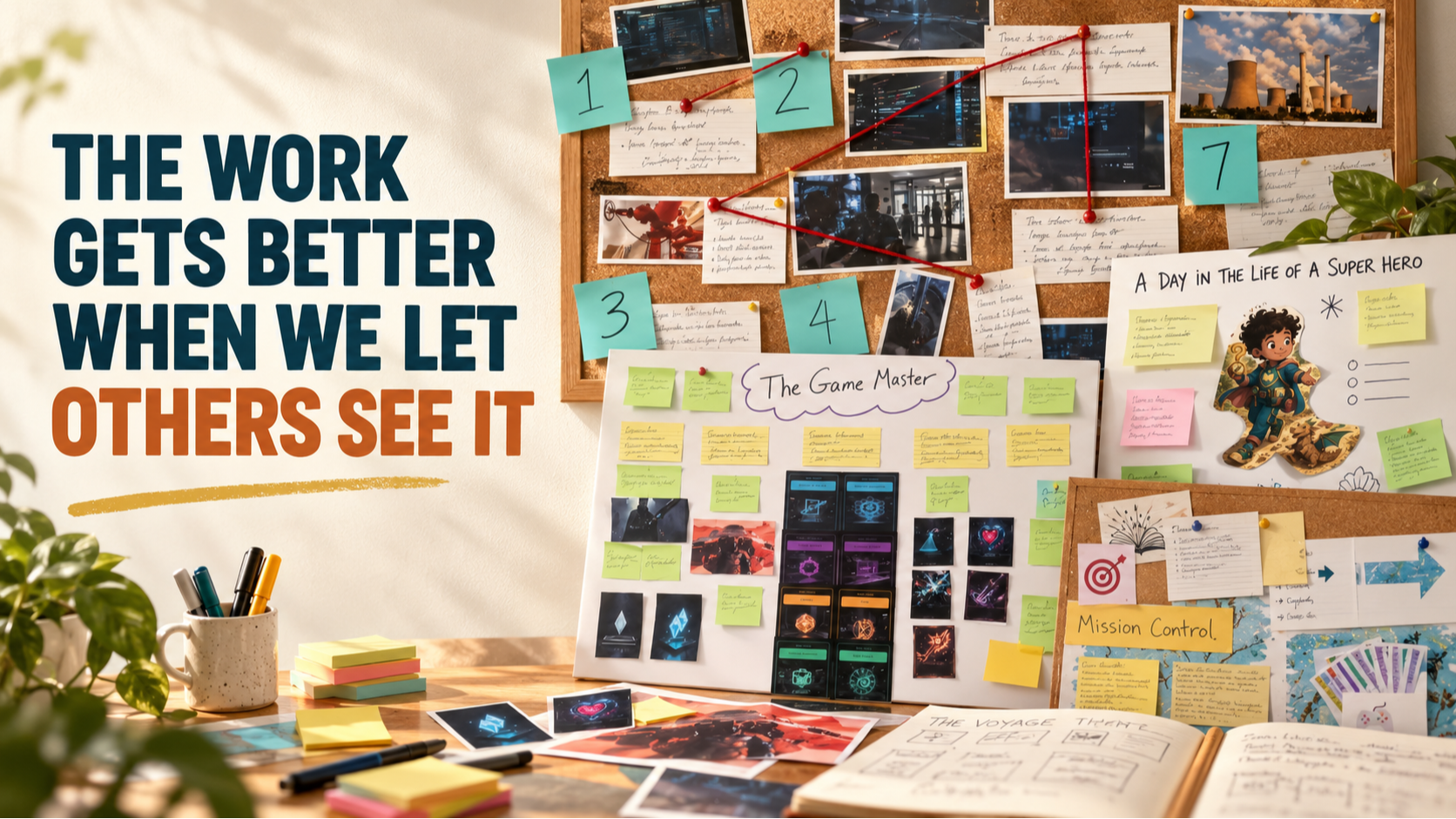
One used sticky notes and game cards. Another used images connected by red string. One became a map, while another told the story of a learner’s day. There were handwritten notes, index cards, arrows, sketches, printed characters, and ideas that had been moved, replaced, or reconsidered along the way.
These were low-resolution prototypes of learning experiences still taking shape. They were not supposed to be polished. They were supposed to make the designers’ thinking visible.
During her presentation, Alex talked about how valuable it was to take her digital learning experience and move it into a low-tech format. Once the design was out of the authoring environment and spread across a physical board, she saw gaps she had not noticed before.
She could see the experience differently because she had built it differently.
We hear some version of this every time we ask designers to create a concept board. At first, they may not understand why we are asking them to step away from the technology they use every day. By the time they present their boards, they recognize that this was never simply an arts-and-crafts activity.
The concept board is part of the thinking.
When we design an asynchronous eLearning program, it is easy to begin inside the tool that will eventually produce the course. We open Storyline, Rise, Captivate, Genially, PowerPoint, or another platform. We create a title screen, choose a template, add some content, and begin building interactions.
It feels productive because we can see the course appearing on the screen. We have something tangible to show for our time.
But the moment we enter the authoring tool, the tool begins influencing our decisions. We start asking what should go on the next screen. Should this be a video? Would a click-to-reveal work here? What image should we use? How many sections should the course contain?
Those are production questions. They are not necessarily design questions.
If we ask those questions too soon, we can end up with a beautifully produced course that never fully addresses the learner, the desired behavior, or the business problem. We may have finished the screens before we have finished designing the experience.
The concept board interrupts that rush to production.
It asks us to make the entire learning experience visible before we begin building it. Where is the learner in this experience? What are we asking that person to do? What choices will they make? Where will they practice? What happens when they make the wrong choice? What feedback will help them improve?
Those questions can be difficult to answer when the design is divided across dozens of digital screens. On a concept board, the learner, business problem, desired behavior, narrative, challenges, feedback, game mechanics, resources, and measures of success are all spread out in front of us.
The pieces have nowhere to hide.
That was the value Alex discovered. Creating the low-tech version did not simply help her display the design. It helped her examine the relationships within it. She could see what connected, what did not connect, and what was still missing.
There is good reason this happens. Research on sketching and external representation suggests that making ideas visible supports analysis, learning, and design thinking. Drawing and physically arranging ideas combine semantic, visual, and motor processing.
In simpler terms, when our hands become involved in arranging, drawing, connecting, and moving ideas, our brains work with those ideas differently. We are not merely recording decisions we have already made. We are discovering what we think as we decide where something belongs, what it connects to, and whether it deserves a place in the experience.
Making becomes part of learning.
The low-resolution quality of the prototype is equally important. When something looks finished, people respond as though the important decisions have already been made. They comment on the colors, wording, images, or placement of a button because those are the elements placed in front of them.
A concept board sends a different message.
This can still change.
A sticky note can be moved. A card can be removed. A pathway can be rearranged. Two ideas can be placed beside each other to see whether they really belong together.
An entire section can disappear without anyone worrying about the hours spent programming it. The designer has not become so attached to the finished product that changing direction feels like losing something.
The prototype’s unfinished appearance is not a weakness. It gives designers, learners, colleagues, and stakeholders permission to question the work while change is still easy.
This process may be especially important if you always design asynchronous eLearning. In a live session, a skilled facilitator can sometimes compensate for a weakness in the design. The facilitator can see that participants are confused, offer another example, ask a different question, slow down, or change the activity.
An asynchronous course cannot read the room.
The learner encounters the decisions we made weeks or months earlier. If the instructions are confusing, the practice is disconnected from the desired behavior, or the feedback does not help the learner improve, no facilitator is standing nearby to repair the experience.
That makes it even more important to find the gaps before we build the course. A concept board allows us to step back from individual screens and examine the learning experience as a connected system.
Who is this for? Why should they care? What are they being asked to do differently? Where will they try it? What will help them when they struggle? What should they be able to carry into the real world?
We can certainly use AI to support this work. AI can identify assumptions, challenge unclear connections, suggest alternatives, and point out what we may have overlooked. But we should not surrender all of the early thinking to AI or rush directly from a prompt into a finished digital product.
The designer still needs to wrestle with the ideas.
That is what I watched happen last week. Participants moved beyond explaining their concepts and began seeing them. As they placed their thinking on their boards, gaps appeared, relationships became clearer, assumptions became visible, and ideas changed.
Before you open your authoring tool for your next asynchronous program, try going low-tech first. Gather paper, cards, sticky notes, markers, images, and anything else that will help you make the learner’s experience visible.
Build the journey before you build the interface.
Then step back and look at it. Invite someone else to look at it with you. You may be surprised by what you could not see while the experience was still inside your head or scattered across a collection of digital screens.
The work gets better when we let others see it.
Learn the Process Behind the Board
If you recognized your own design process in this story, it may be time to stop collecting more tools and strengthen the decisions you make before you open them.
Our next Level 1 Gamification Surveyor Certification will be held live online on September 29–30 from 10:00 a.m. to 2:00 p.m. Central each day. This two-day program introduces the foundations of Sententia’s research-based approach to designing gameful learning experiences.
You will learn how to begin with the business problem, understand the learner, establish meaningful objectives, and select game elements that support the desired behavior. We will also introduce selected cards from our new Quest Card system to help you question your assumptions and strengthen your early design decisions.
Participants can earn 6 ATD and SHRM recertification credits. More importantly, you will leave with a process you can apply to your own instructor-led, virtual, blended, or asynchronous learning programs.
You do not need another collection of clever game mechanics. You need a reliable way to decide what belongs in the experience, why it belongs there, and how it will help the learner change.
Join the September Level 1 Gamification Surveyor Certification →
Don't miss a beat!
New moves, motivation, and classes delivered to your inbox.
We hate SPAM. We will never sell your information, for any reason.